
A WordPress Theme by Bikram
StoryFrame
A WordPress Theme Built for Photographers
I recently built and released StoryFrame, a free WordPress theme for photographers and visual creatives. It started from a simple frustration: most portfolio themes either bury your photos under heavy page-builder bloat, or they’re so generic they could be selling shoes instead of showing your work. I wanted something that gets out of the way and lets the images do the talking — while still handling the specific, practical things photographers actually need day to day.
Here’s what it does.
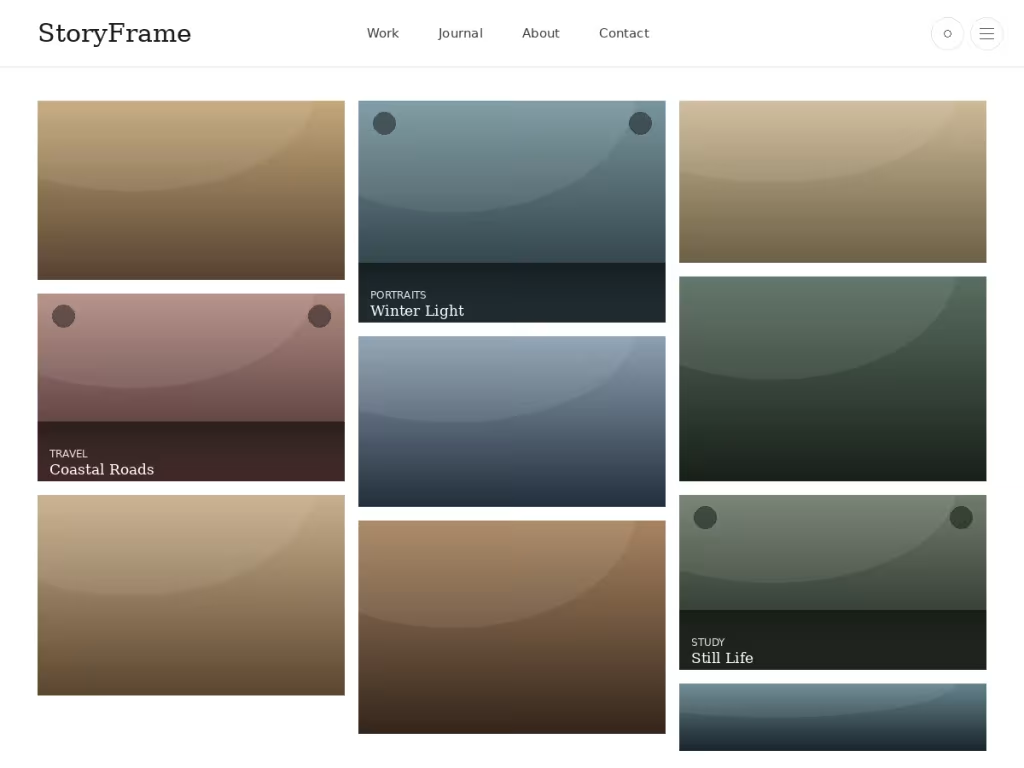
Layouts that respect your photos
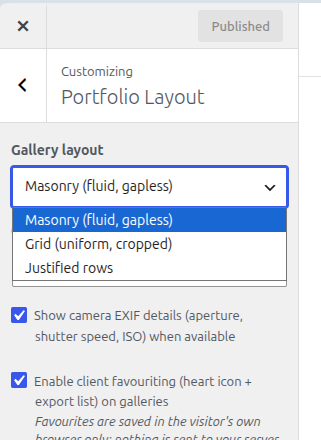
Not every shoot fits the same grid. StoryFrame ships with three switchable gallery layouts, changeable from the Customizer with no code:
Masonry
a fluid, gapless layout that adapts to each photo's natural aspect ratio, so portraits and landscapes sit side by side without forced cropping.
Grid
clean, uniform, cropped squares, for when consistency matters more than showing full frames.
Justified rows
each row fills edge to edge at your chosen column count (2, 3, or 4), keeping natural proportions without the masonry look.
Case studies, not just galleries
Every project can carry real context — client, location, date, services, and the gear you shot it on — added through a simple details box right under the editor. On the single project page, that becomes a proper case-study layout: a cover image, the project details, and then your full story, built with whatever mix of images, galleries, and text the block editor gives you. It’s meant for showing process, not just a finished grid of thumbnails.
EXIF details, pulled automatically
If your exported photos carry camera metadata, StoryFrame reads it straight from what WordPress already stores — camera, aperture, shutter speed, ISO, focal length — and displays it as a small badge under the photo. No plugin, no manual entry, and it’s a one-click toggle if you’d rather keep things quieter.
Client proofing, without a subscription
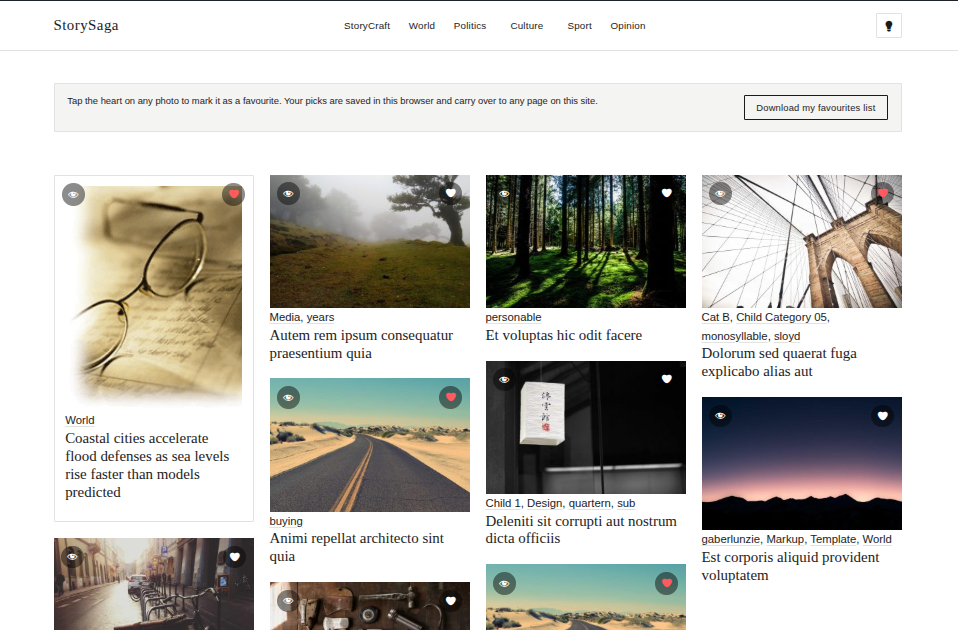
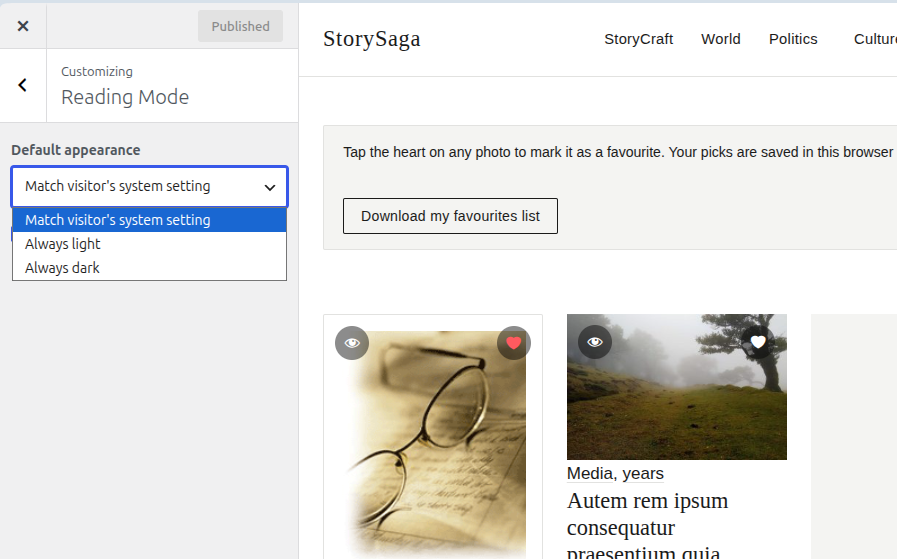
For sharing private galleries with clients, StoryFrame leans on a feature WordPress already has: password-protected posts. Share a link and a password, and visitors can tap a heart on their favorite shots and download a plain-text list of their picks when they’re done — no server-side tracking, no third-party proofing service, nothing to configure.
Light and dark, your call
Visitors can flip between light and dark reading modes, or you can lock the site to one or the other from the Customizer. It remembers each visitor’s choice without needing a plugin.
Built to be accessible, not just to look accessible
This mattered enough to me that I want to actually say it rather than bury it in a spec sheet: the navigation follows the WAI-ARIA disclosure pattern properly — submenus are reachable and operable by keyboard, not just mouse-hoverable, Escape closes what you opened, and focus goes back where you’d expect. It’s a small thing most themes skim past, and I didn’t want to.
No bloat
StoryFrame doesn’t register a custom post type, doesn’t install a page builder, and doesn’t quietly load a font or script from someone else’s server. It’s built entirely on WordPress core — the block editor, the Customizer, widgets, menus — the parts that are still there if you ever switch themes.
Who it's actually for
Photographers, obviously — but also designers, architects, and anyone whose work is better shown than described. If your site’s job is “make people stop scrolling and look,” that’s the job this theme is built to do.
Screenshots
It’s free, GPL-licensed, and translation-ready. If you build something with it, I’d genuinely like to see it.
Built by Bikram
I'm a WordPress theme and plugin developer publishing on WordPress.org as [bikram_sth](https://profiles.wordpress.org/bikram_sth/).
StoryFrame joins a growing set of themes I've built and taken through full submission and review cycles — including StoryPress, a news and magazine theme, and StoryWeave, a literary blog theme with five layout modes and built-in dark mode. On the plugin side, I've built a GDPR cookie consent banner and a Cash-on-Delivery order verification plugin for WooCommerce, both approved on WordPress.org.
I test everything on real devices, chase down bugs reviewer feedback surfaces rather than just checklists, and iterate until it's actually right — not just technically passing.
View my WordPress.org profile · bikramkaji.com.np
🚀 Contact Me Today