
StoryRealty
A WordPress Theme by Bikram
A Real Estate WordPress Theme Built Around the StoryEstate Plugin
A while ago I published StoryEstate, a free plugin that handles property listings, agents, offices, search and contact forms on WordPress. It did the job, but a plugin can only do so much about how a site looks. Every real estate site built with it still needed a theme that knew what a listing was and how to present one.
So I built that theme. It is called StoryRealty, and this is the story of how it came together.
Why a theme for a plugin
Most real estate themes bundle everything: custom post types, search forms, contact forms, even their own settings screens. That works until you switch themes. Suddenly your listings, agents and fields vanish, because they lived inside the theme.
WordPress.org’s theme guidelines are strict about this, and for good reason. A theme should control presentation. Content and functionality belong in plugins, where they survive a redesign.
StoryEstate already owns the content model. StoryRealty owns the look. Change the theme later and your listings stay exactly where they are.
How the two fit together
The theme registers no custom post types, no shortcodes and no forms. It reads what the plugin already stores: price, bedrooms, bathrooms, size, city, status, agent and gallery.
StoryEstate looks for template files in a story-estate folder inside the active theme, so StoryRealty ships six of them: property, agent and office archives, plus the matching single pages. Because the plugin loads them automatically, there is nothing to configure. If someone wants to customise further, a child theme can override those files the same way.
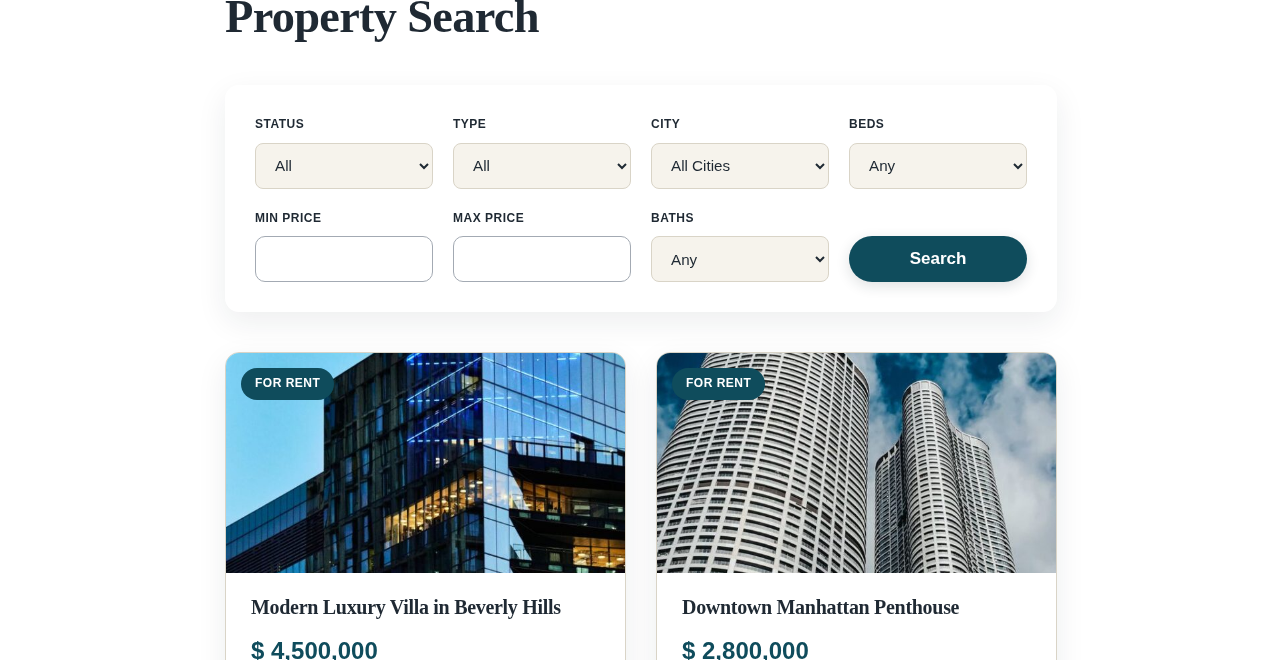
The search form, contact form, share buttons and breadcrumbs still come from the plugin’s own shortcodes. The theme simply places them and styles them to match.
Without the plugin, StoryRealty works as a normal blog and pages theme. It never breaks if StoryEstate is deactivated.
What you get
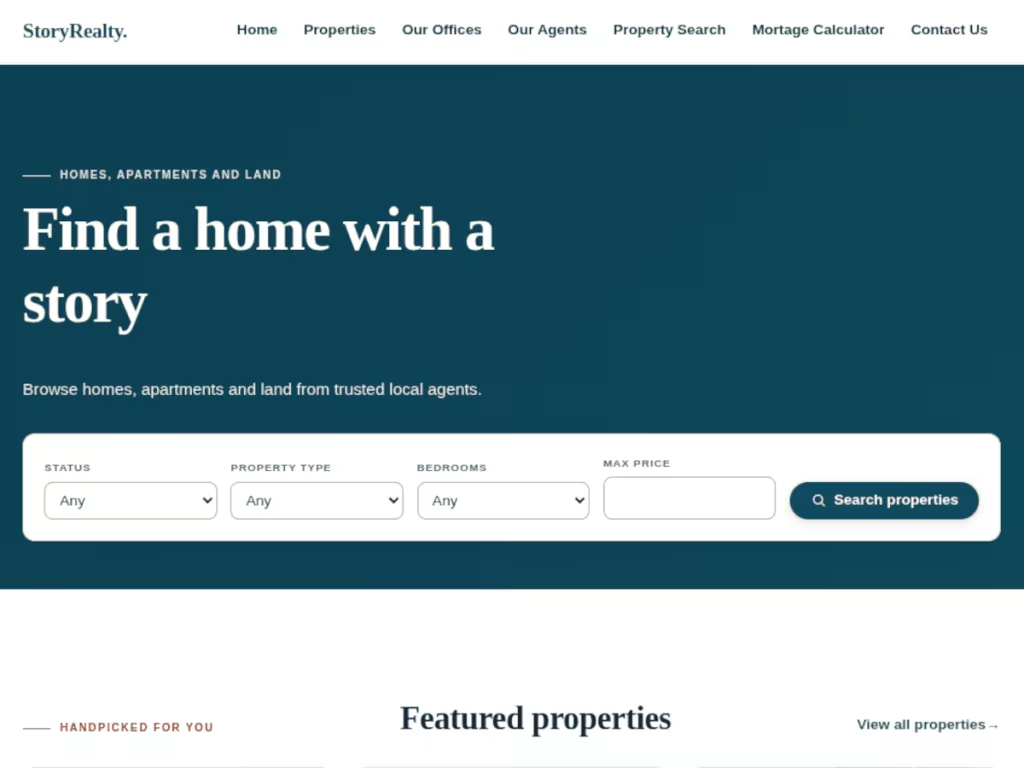
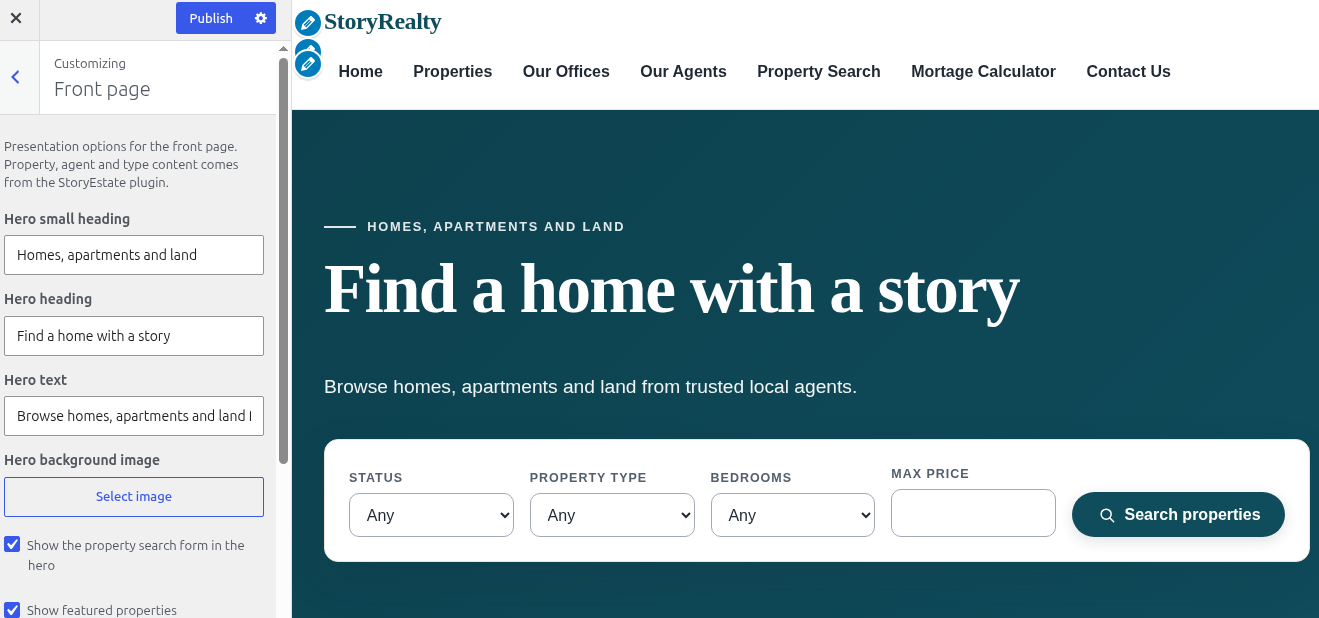
- A real front page. A hero with an optional property search, featured properties, browse-by-type tiles and an agents section. Each part can be switched off in the Customizer.
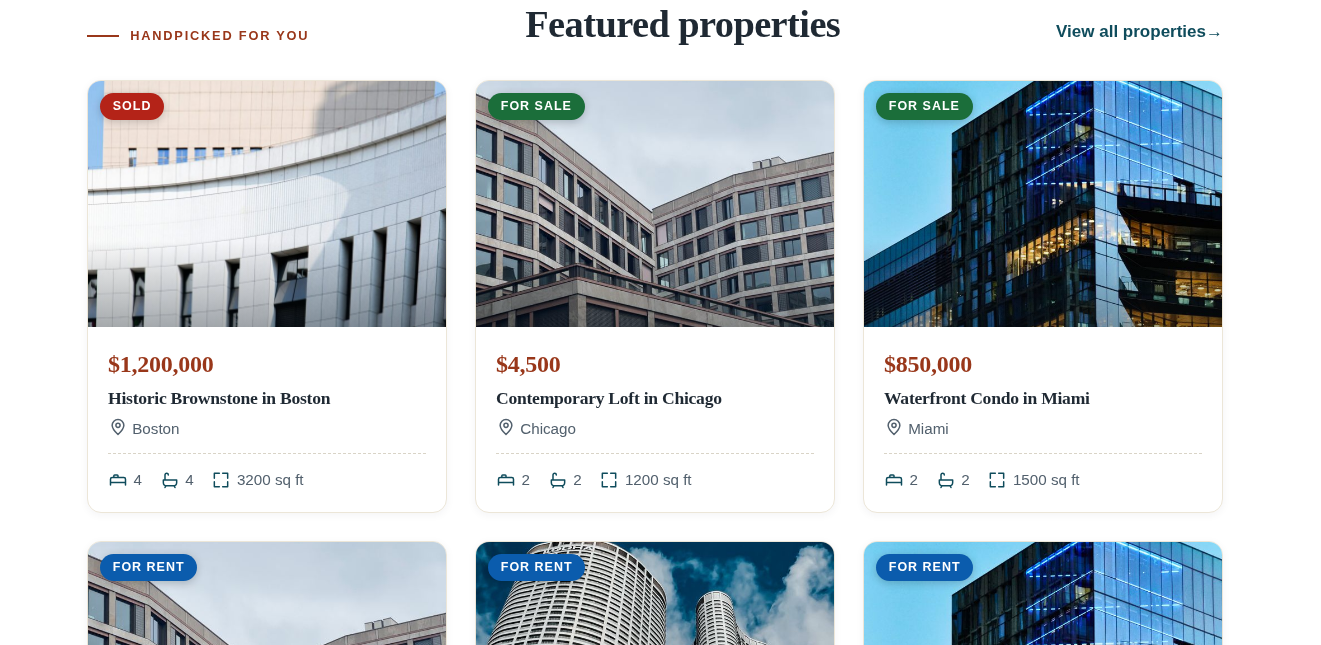
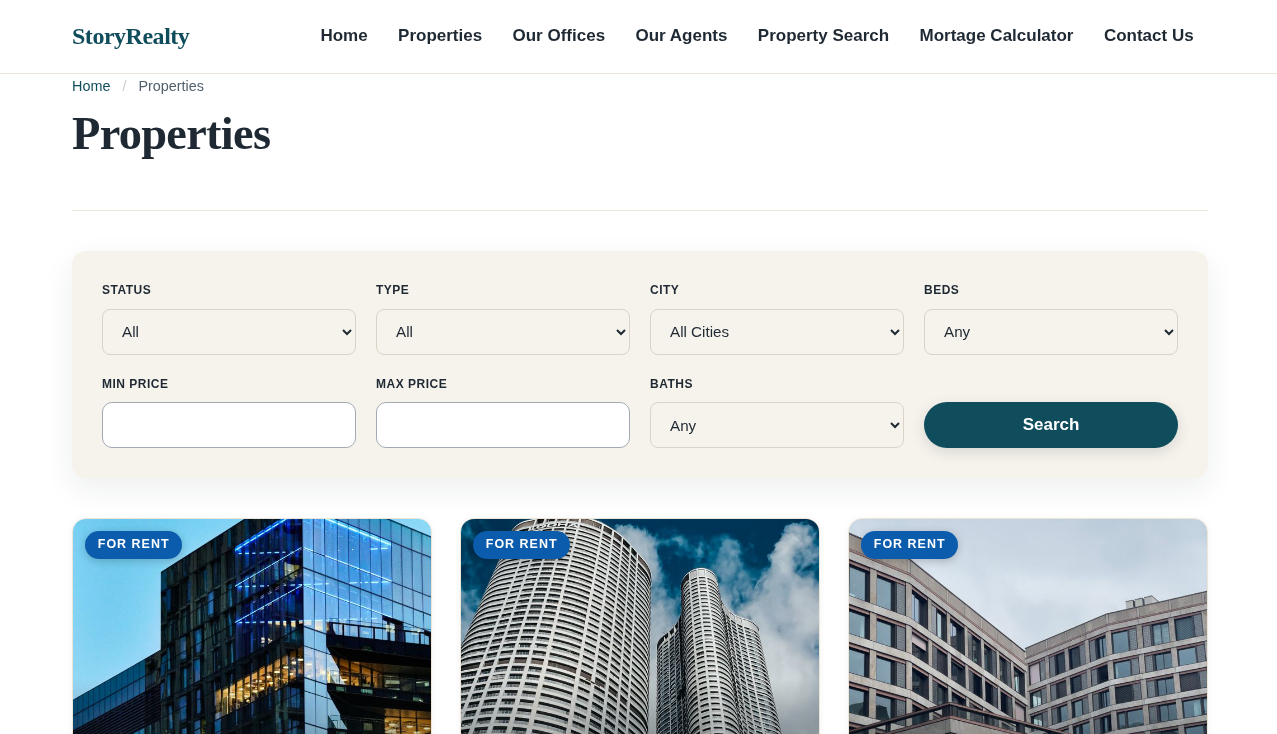
- Property cards that sell. Status badges, price, location and key facts in one clean card. Properties with no price show “Price on request” instead of an empty gap.
- Single property pages. A gallery, overview facts, description, features, a map, the listing agent and a contact form in a sticky sidebar, with similar properties underneath.
- Agent and office pages. Profile, contact details, social links and the agent’s current listings.
- Blog and pages. Cards with a Read more link, breadcrumbs, comments, a sidebar and three footer widget areas.
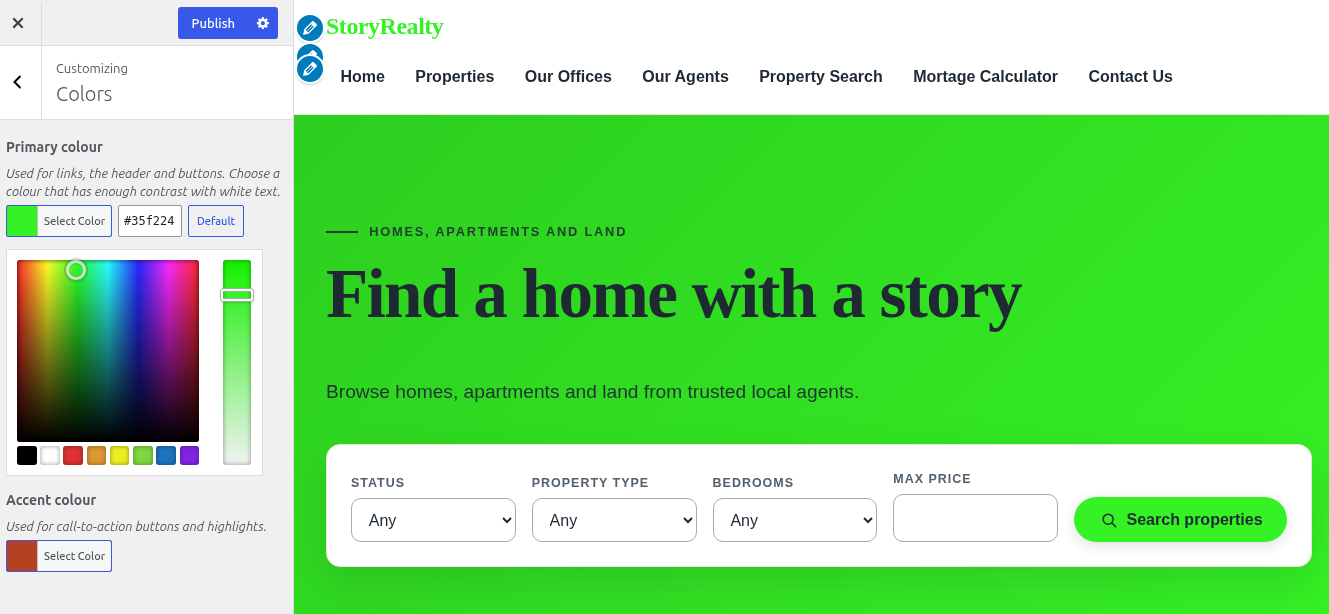
- Customizer options. Primary and accent colours, hero text and image, text size, site width, sidebar position and footer text.
The design is warm and editorial: serif headings, soft cream surfaces, gentle shadows and cards that lift slightly on hover. Fonts are system fonts, so no web fonts load from third-party servers and nothing slows the page down.
Accessibility was not an afterthought
Real estate sites are used by everyone, so I treated accessibility as a requirement from the first template.
- A skip link and a clear visible focus style on every interactive element.
- Text colours on buttons and status badges are chosen automatically for contrast, so a bright badge colour never leaves white text unreadable.
- Animations respect the reduced-motion setting.
- Forms use real labels, and icons are decorative and hidden from screen readers.
The menu took the most work. On mobile it opens as a scrollable panel, and keyboard users can reach every submenu item with Tab and Shift+Tab, in both directions. Reaching items hidden inside collapsed submenus turned out to be one of the trickier parts of the whole project, and I’m glad I tested it with the keyboard instead of trusting the code.
Lessons from building it
Let the plugin own the data. Whenever I was tempted to add a feature to the theme, I asked whether it would still work after a theme switch. If not, it belonged in the plugin.
Escape late and be explicit. The plugin’s shortcode output includes forms and fields, so the theme passes it through an explicit allow-list instead of printing it blindly. It is a small detail that matters for security.
Test the boring cases. The WordPress theme unit test data exposes things a normal demo never will, such as floated images that wrap around pagination links. Fixing those made the theme sturdier for everyone.
What you need
- WordPress 6.0 or newer
- PHP 7.4 or newer
- The StoryEstate plugin, for listings, agents and search
StoryEstate is available in the WordPress.org plugin directory, and StoryRealty is being prepared for the theme directory.
Installation
- Install the StoryEstate plugin.
- Install and activate the theme, either from the directory or by uploading the zip.
- Add properties, agents and offices, and mark featured ones.
- Assign the Primary and Footer menus.
- Pick a static front page or latest posts.
- Customize colours, front page, layout and footer.
- Add the sidebar and footer widgets.
Screenshots
Built by Bikram
I'm a WordPress theme and plugin developer publishing on WordPress.org as [bikram_sth](https://profiles.wordpress.org/bikram_sth/).
I test everything on real devices, chase down bugs reviewer feedback surfaces rather than just checklists, and iterate until it's actually right — not just technically passing.
View my WordPress.org profile · bikramkaji.com.np
🚀 Contact Me Today